
TECHNICAL GUIDE

2D Drawing and 3D Model in a CNC RFQ: Which File Governs When They Differ?

Learn how to define governing data when 2D drawings and 3D models differ, including revision control, tolerances, notes, inspection, and RFQ packaging.

TECHNICAL GUIDEVIETTECH · TECHNICAL RESOURCES
01

Overview

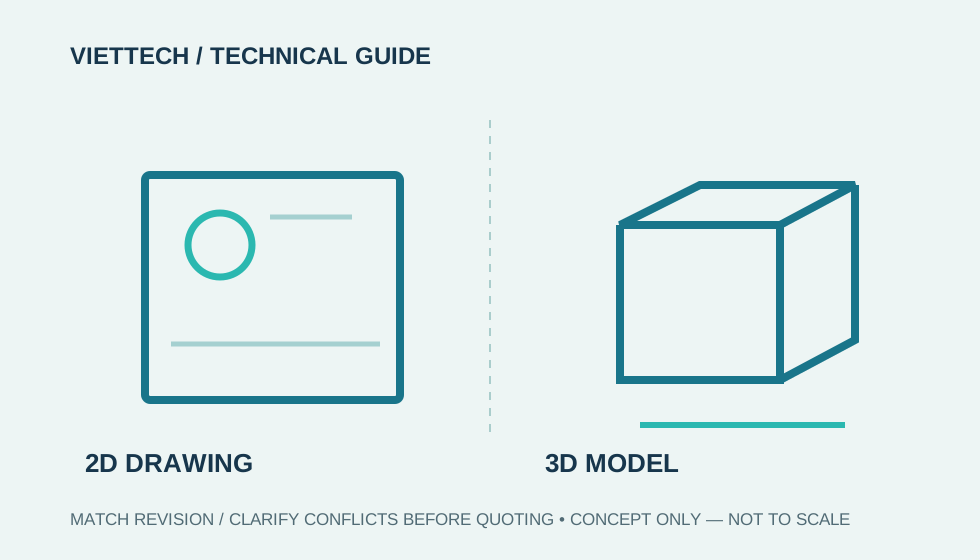
A CNC machining RFQ often includes both a 2D drawing and a 3D model. The model supports CAM programming, geometry review, and stock estimation. The drawing typically communicates tolerances, GD&T, material, finishing, heat treatment, and inspection requirements. Risk appears when the files have different revisions or conflicting geometry. There is no universal rule that “2D always overrides 3D,” or the reverse. The customer or technical data package must declare which data is authoritative. If precedence has not been defined, the supplier should request clarification instead of selecting the most convenient interpretation.
02

What roles do 2D drawings and 3D models serve?

2D drawing

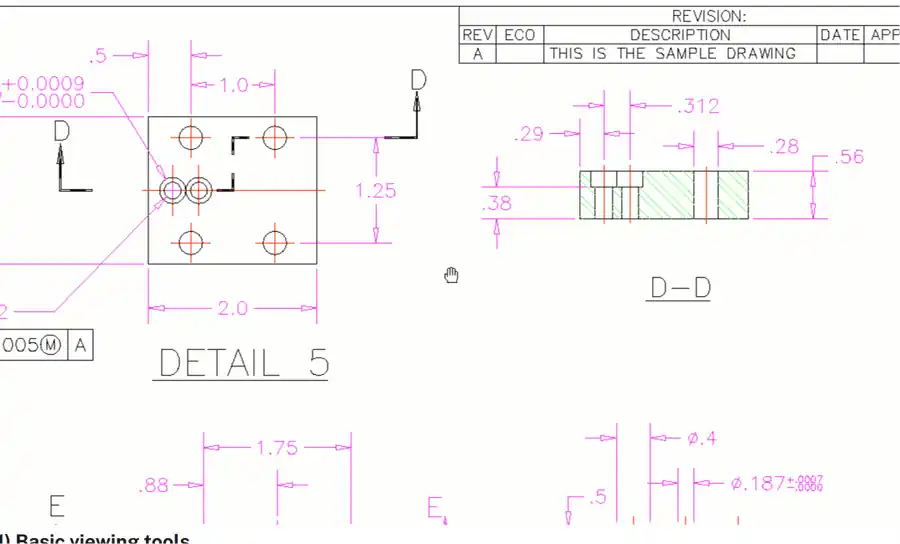
A 2D drawing commonly communicates information that may be absent from a geometry-only model: - Dimensional tolerances and GD&T. - Datums, inspection requirements, and measurement locations. - Material grade, heat-treatment condition, and hardness. - Surface finish, coating, masking, and appearance. - Threads, inserts, marking, chamfers, and deburring. - Revision, general standards, and special notes.

3D model

A 3D model defines nominal geometry and supports CAM, simulation, fixture design, and CMM programming. Freeform surfaces, pockets, and assembly relationships are often clearer in 3D. A STEP or IGES export does not automatically become authoritative. PMI, surface colors, material properties, or assembly structure may be lost during export, import, or translation. In an MBD workflow, the customer should identify the governing model and PMI configuration and confirm the exchange format and receiving capability.

03

Which file takes precedence when 2D and 3D differ?

The answer depends on how the product definition set is established. Even when the drawing governs, the supplier should not silently modify the model and proceed. A corrected model needs clear identification, customer approval, and linkage to the applicable revision.

2D Drawing and 3D Model in a CNC RFQ: Which File Governs When They Differ?
Drawing and model should share a revision; raise an RFI when requirements conflict before quoting or machining.
SituationCommon data useRequired action
Traditional workflow with a fully dimensioned drawing2D usually defines tolerances and notes; 3D supports nominal geometryConfirm that both files carry the same revision
Limited-dimension drawing stating that unspecified geometry comes from the model2D and 3D must be used togetherDefine tolerances for model-derived geometry
MBD with a PMI model identified as authoritativeThe 3D model and PMI governVerify software interpretation and model version
Conflicting 2D and 3D with no precedence statementNeither should be selected unilaterallyStop the affected review and issue an RFI
04

Common discrepancies

Geometry mismatch

Typical examples include different hole diameters, pocket depths, corner radii, chamfers, slot locations, or contoured surfaces. A small difference can change the cutter, fixture, cycle time, and inspection method.

Revision mismatch

File names may look identical while content has changed. Labels such as “final” or “new” are not sufficient revision control. The part number, revision, issue date, and release status should appear consistently in both 2D and 3D data.

Missing model information

A geometry model may not include tolerances, finish, material, or processing requirements. If a supplier receives only a STEP file, a quotation may assume commercial tolerances and fail to represent the actual manufacturing cost.

PMI translation loss

STEP AP242 can support PMI exchange, but this does not guarantee that every system imports and displays it identically. Before PMI is used for manufacturing or inspection, both parties should agree on format, version, presentation, and validation after import.

05

What must be confirmed before quotation?

Authoritative data

Use a clear statement such as: “2D drawing Rev C governs tolerances and notes; STEP model Rev C governs undimensioned nominal geometry.” For MBD, identify the governing model and official PMI configuration.

Tolerance rules

State the general tolerance, applicable GD&T standard, and treatment of model-derived dimensions. “Per model” is not a tolerance. The supplier still needs allowable variation and acceptance rules.

Manufacturing stage

Clarify whether tolerances apply after machining, heat treatment, coating, or assembly. For anodizing, plating, QPQ, or heat treatment, identify functional dimensions and masking areas.

Inspection requirements

Identify 100% inspection characteristics, CMM requirements, first article, ballooned report, material certification, and processing certification. Requirements introduced after quotation may affect price and lead time.

06

How should an RFQ package be named and organized?

A simple structure helps prevent revision errors: ```text PN-12345_Rev-C/ ├── PN-12345_Rev-C_Drawing.pdf ├── PN-12345_Rev-C_Model.step ├── PN-12345_Rev-C_Specification.pdf └── PN-12345_Rev-C_RFQ.xlsx ``` Avoid sending several files named “final,” “final2,” and “latest” in one folder. If the RFQ changes, issue a new revision notice and identify the superseded files. The supplier should confirm that obsolete data has been withdrawn before work continues.

07

CNC RFQ package checklist

VietTech can review 2D drawings, STEP, STL, DXF, DWG, and several common CAD formats for RFQ evaluation. Production data use still follows the customer-confirmed revision and precedence. When a discrepancy is found, VietTech requests clarification instead of changing the design unilaterally.

  • Consistent part number, revision, and issue date across all files.
  • Legible 2D PDF; include DWG or DXF only when useful.
  • 3D STEP or another agreed format with the correct unit system.
  • A precedence statement for drawing, model, and specification.
  • Material, stock condition, heat treatment, and surface finish.
  • Quotation quantity, expected production volume, and delivery need.
  • General tolerances, GD&T, roughness, and applicable manufacturing stage.
  • Inspection, certification, packaging, and traceability requirements.
  • Approved deviations, if any.

RELATED PAGES

CAD file preflight checklist before a machining RFQ ↗How to Specify Materials and Surface Finishes in an RFQ ↗

FAQ

Frequently asked questions

Is a STEP model alone sufficient for quotation?

It may support a preliminary geometry estimate, but it is insufficient when tolerance, material, processing, quantity, or inspection requirements are missing.

Which file will VietTech use if 2D and 3D differ?

VietTech uses the file identified by the customer as authoritative. If no precedence is defined, the conflicting requirement is submitted for clarification.

Is a dimension measured from the model an acceptance dimension?

Only when the technical package permits it and assigns a tolerance. A nominal value measured from a model does not create acceptance limits by itself.

Should native CAD files be included?

Not in every case. STEP is convenient for neutral exchange; native CAD may be useful when PMI, configurations, or data are not preserved during translation.

Should the complete package be resent after a revision?

Preferably yes, or provide an unambiguous change list and identify every superseded file.

TECHNICAL GUIDE

Request a VietTech review

Send the 2D drawing, 3D model, revision, material, quantity, finishing, and inspection requirements. If the files serve different purposes, state their precedence. VietTech will review completeness and return clarification questions before quotation. ---REQUEST A QUOTE ↗