NEWS

VietTech launches an online CAD Viewer

Open 2D DWG/DXF, STEP/STP and STL in the browser, inspect the model, create sections and check dimensions before a technical discussion.

NEWSVIETTECH · TECHNICAL RESOURCES
01

A CAD workspace on the VietTech website

VietTech developed CAD Viewer for engineers, buyers and partners to perform an initial review without installing extra software. It supports 2D DWG/DXF, solid STEP/STP and mesh STL. Files are processed locally in the browser and are not uploaded while viewing.
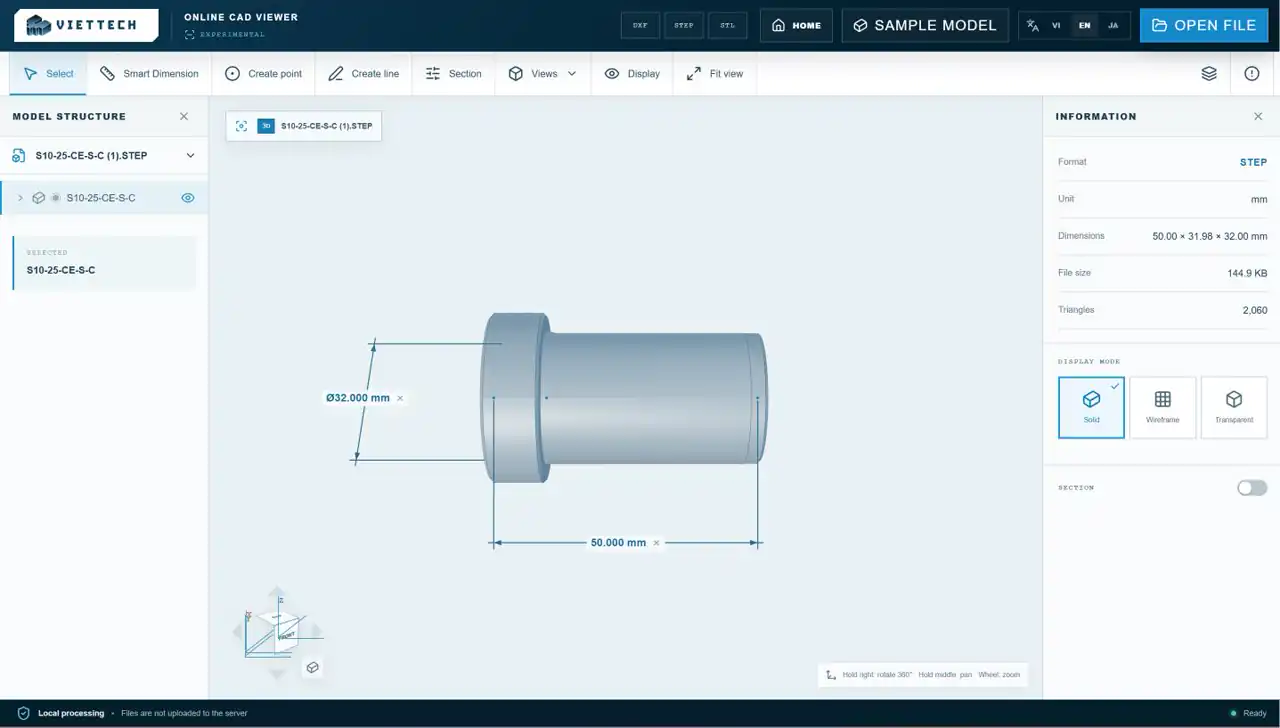
English interface of VietTech online CAD Viewer
A browser workspace for initial 2D/3D CAD review.
02

Current capabilities

Rotate, pan and zoom models, change views and display modes, create a section and inspect file information. Smart Dimension snaps to endpoints, midpoints, centers, edges, circles and arcs.

  • 2D DWG Beta, DXF, STEP/STP and STL
  • Views, display modes and sections
  • Distance, angle, diameter and radius
  • Reference points and lines
  • Right mouse rotate, middle mouse pan, wheel zoom
03

How to use it

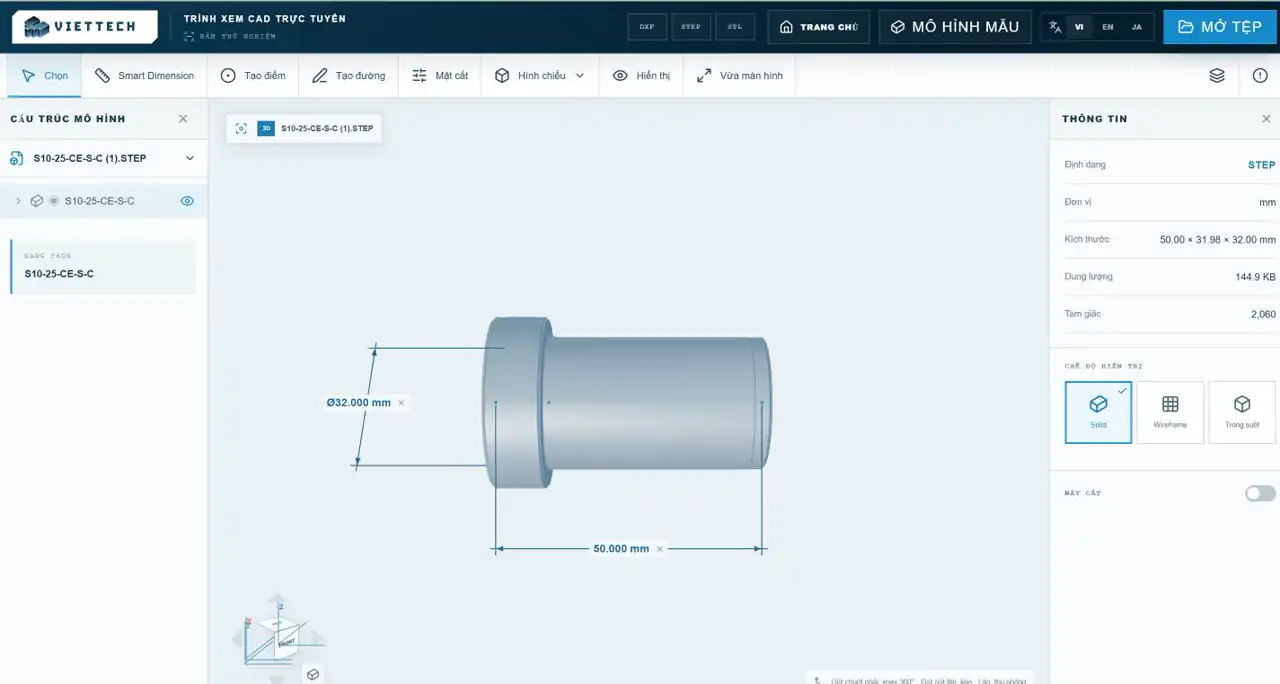
Open or drop a CAD file, orient the model, then use Smart Dimension to select geometry and place a dimension. Press Esc to leave a mode and Del to remove selected reference geometry.

Vietnamese CAD Viewer interface with Smart Dimension
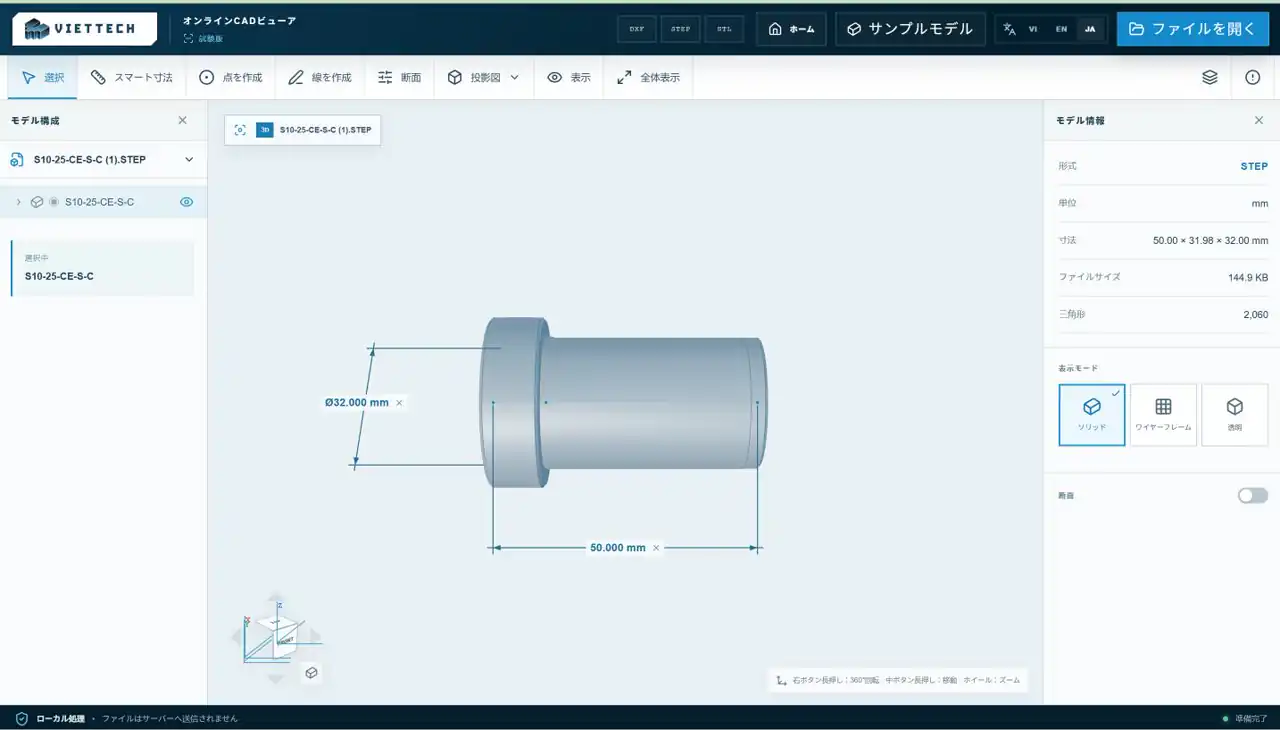
The same CAD workspace is available in Vietnamese, English and Japanese.
04

Three interface languages

The viewer is available in Vietnamese, English and Japanese. Users can switch language from the top bar without changing the currently opened file.

Japanese interface of VietTech CAD Viewer
The Japanese interface supports clearer technical exchanges with partners.
05

Intended use

The 2D DWG Beta creates temporary DXF data on the device and accepts files up to 20 MB. The first use can take longer while the reader downloads; later use is usually faster from browser cache. Proxies, xrefs and special fonts may not render completely.

RELATED PAGES

Open CAD Viewer ↗DXF, STEP and STL explained ↗CAD preflight checklist ↗DXF font issues ↗Open DWG online without AutoCAD ↗DWG vs DXF ↗

FAQ

Frequently asked questions

Are files uploaded to VietTech servers?

No. The current viewer processes files locally in the browser.

Can dimensions be used for final acceptance?

No. They are for preliminary review; acceptance must follow the controlled drawing.

NEWS

Try one of your CAD files

Open CAD Viewer to inspect the model and check dimensions.OPEN CAD VIEWER ↗